
How Outfit Check works
One loop, repeated as many times as you like. There is nothing else in the app, which is the point.
The loop
-
Open the app
It opens straight into the camera. No feed, no login screen, no onboarding carousel to swipe through first.
-
Photograph the mirror
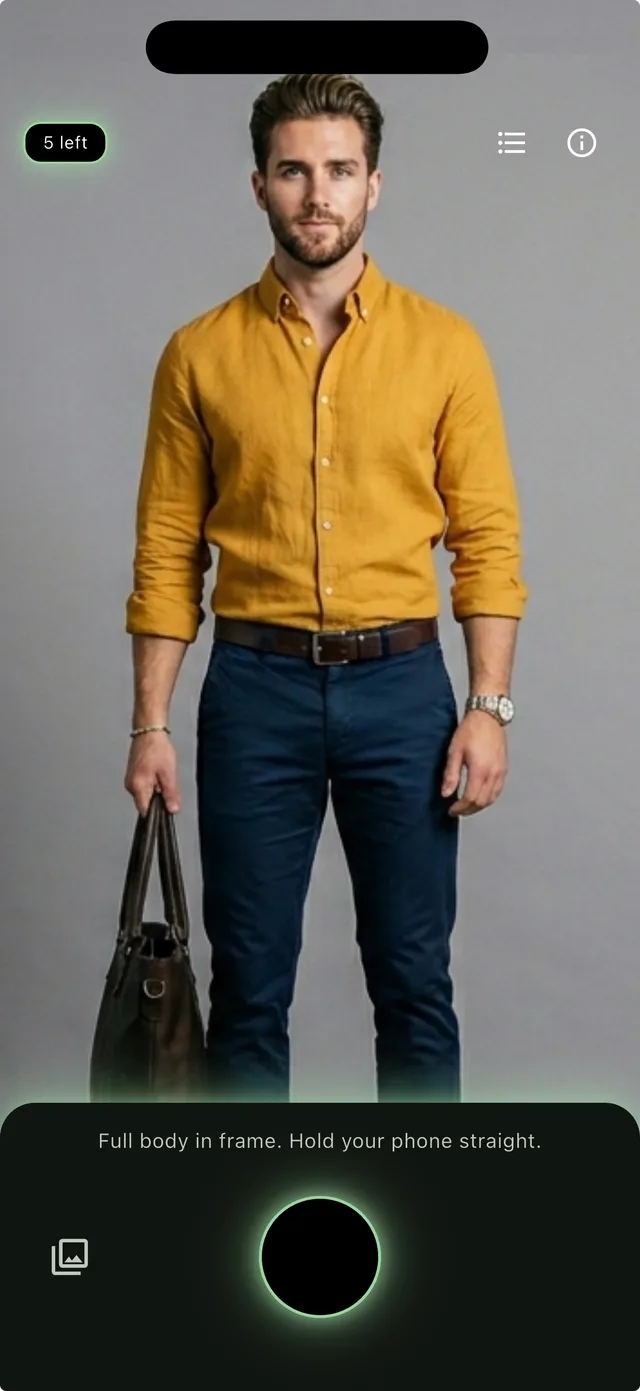
Stand where you can see all of yourself. A faint silhouette on screen shows you how much of the body to fit in the frame.
-
Read the verdict
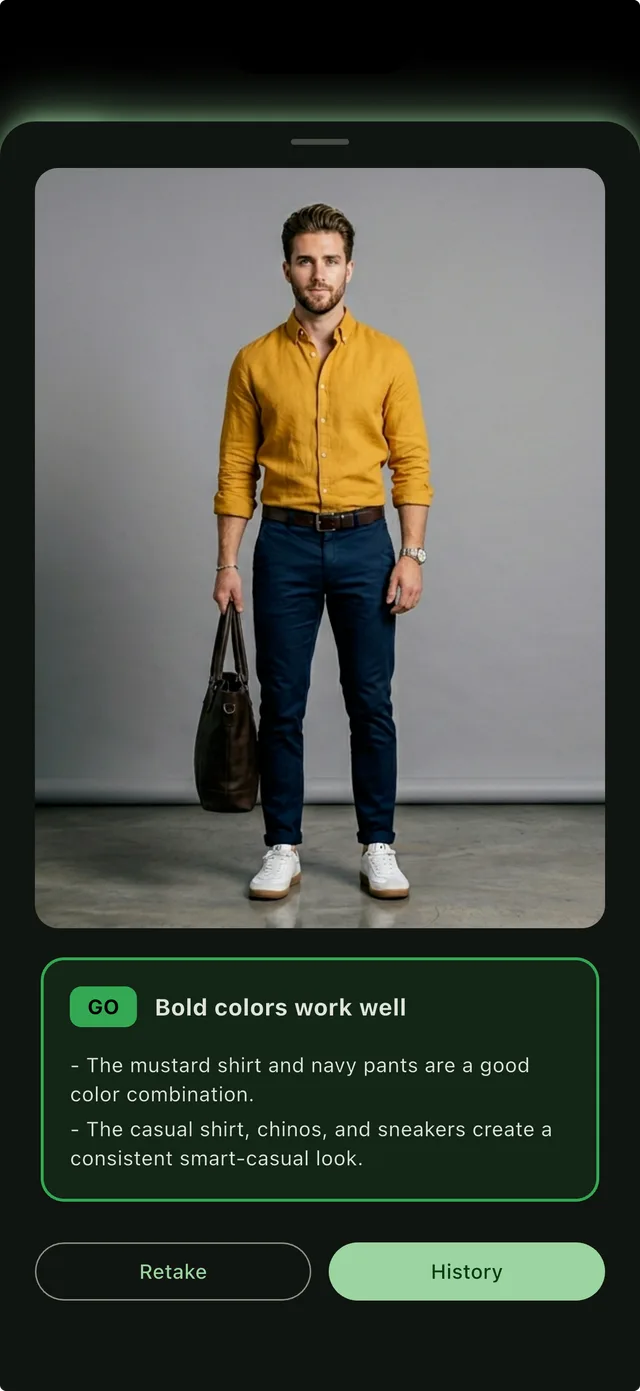
A few seconds later you get GO, ALMOST or RETHINK, with up to two reasons in plain language. Then you close the app and get on with it.
Taking a photo it can read
Nearly every unusable photo fails for one of three reasons, and the app will tell you when it cannot see the outfit rather than guessing at one.
- Get your whole body in the frame, shoes included. The silhouette on screen shows you how much room to leave.
- Hold the phone straight rather than angled up or down, so the proportions of the outfit stay honest.
- Turn a light on. A dark room turns navy into black and the verdict follows the photo.
- Keep the phone out of the way of the clothes — a raised arm hides half a sleeve.
Or use a photo you already have
There is a library button next to the shutter. Any full-body photo already on your phone can be checked the same way, which is useful when someone else took it.
The app is just as happy in a fitting room as at home. A shop mirror at the moment before a purchase is exactly the situation it was built for — there is nobody to ask, and the decision costs money.
What comes back
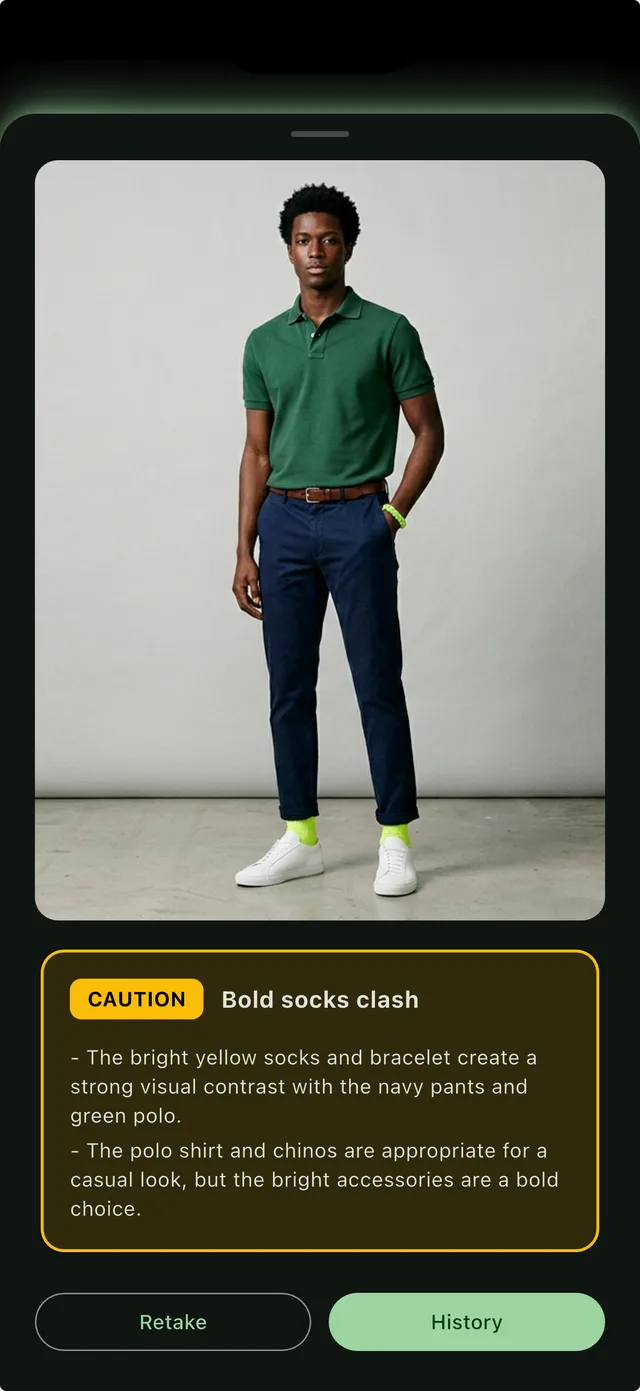
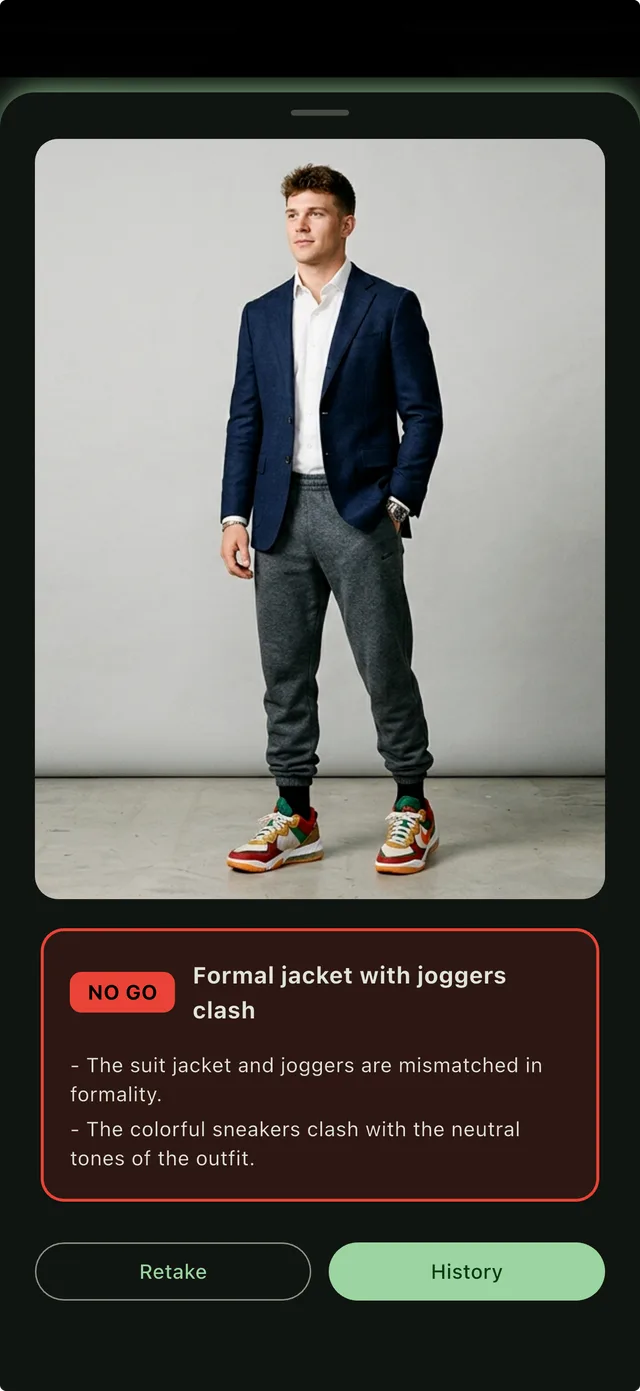
A colour-coded card with one headline and up to two reasons. Never a paragraph, never a hedge, and never a lecture about proportion.
Clean pairing
- The colours agree and the pieces sit at the same level.
One thing to fix
- One piece is close to clashing; a small swap and you are set.
Worth a swap
- The items or the colours are not working together, and here is which.
In the app
What happens to the photo
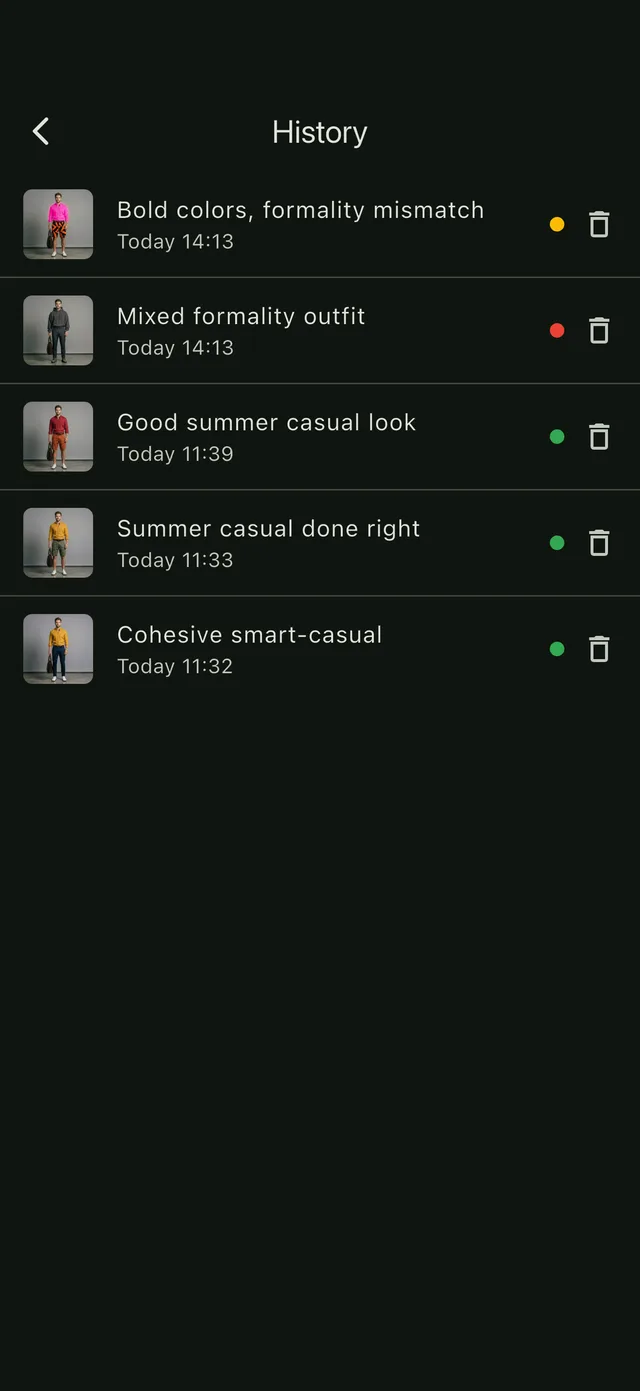
The image is sent to be analysed and is not kept once the verdict comes back. It is never used to train models and never sold. What stays is the verdict itself, saved on your own phone so you can look back at it, and you can clear that history whenever you like.
How fast
A few seconds from shutter to card on a normal connection. The verdict is produced on a server rather than on the phone, so the app needs a connection — which is the one thing it asks of you that a wardrobe app would not.
Try it on what you have on now.
The first 3 checks are free, and there is nothing to sign up for.
3 checks free. No account, no email, no ads.